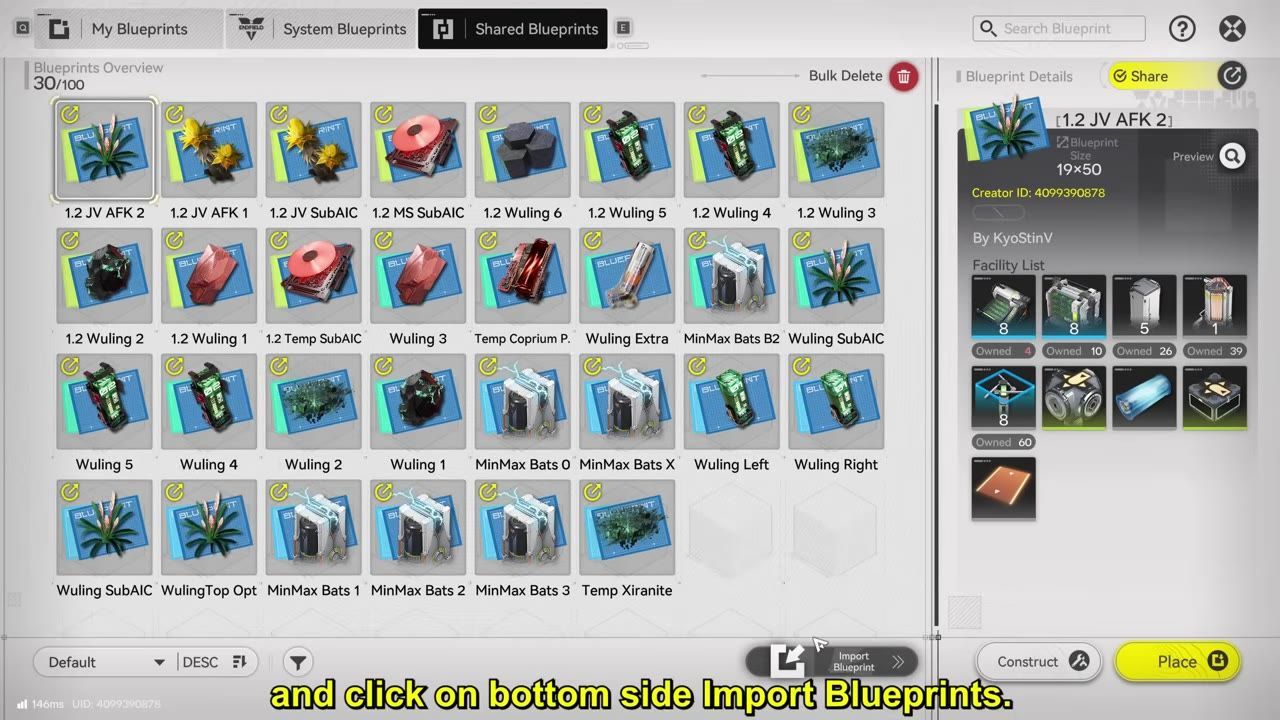
Set up your factory for Outpost Prosperity level 3 by prioritizing the new SC Wuling batteries and Yazheng syringe A lines. Keep your legacy battery, gear, and syringe lines switchable so they don't block production or drain resources when you need parts for upgrades.
What this updated factory is for
This layout is for players at or near Outpost Prosperity level 3 who want to maximize payouts from updated batteries and syringes. It is focused on producing SC Wuling batteries and Yazheng syringe A, and is not optimal for earlier progress tiers, since those rewards are not available until you reach level 3.
![A factory report screen lists ore and component production lines, including Yazhen Syringe [A], LC Wuling Battery, and SC Wuling Battery, with yield and usage values.](images/01-what-this-updated-factory-is-for.jpg) A factory overview report shows item production lines with the battery and syringe entries visible.
A factory overview report shows item production lines with the battery and syringe entries visible.
Upgrade the regional unlocks first
Before you start rebuilding the factory, make these upgrades for smoother regional progress and supply flow:
- Upgrade the environment monitoring terminal for extra credit payouts from picture tasks.
- Upgrade the stock redistribution terminal in Jingliu Valley.
- Upgrade the recycling station in Qingbo Stock Arcade to max level.
- Unlock the new Wuling AIC2 structures; towers can wait, but the other upgrades should be unlocked early.

The regional overview map is open with regional development level and multiple marked terminals visible. - IWinToLose Gaming
prerequisites
- Upgrade environment monitoring terminal (for credits)
- Upgrade stock redistribution terminal in Jingliu Valley
- Upgrade recycling station in Qingbo Stock Arcade
- Unlock new Wuling AIC2 structures
Set up Cuprum ore mining with rigs and pipes
Early mining for Cuprium Parts uses hydro rigs powered by fluid pumps. Start with these placements:
- Use the free hydro mining rigs on Cuprium Ore nodes.
- Place a fluid pump and power it with a Zeronite pylon.
- One water pump can support three hydro mining rigs.
- Insert a pipe splitter so one line feeds all rigs.

A fluid pump placement preview stands on an ore node with hydro mining rigs around it and pipe connections being arranged. - IWinToLose Gaming
steps
- Place hydro mining rigs on Cuprium Ore nodes.
- Position and power a fluid pump with a Zeronite pylon.
- Use one water pump per three hydro mining rigs.
- Add a pipe splitter to connect all rigs from one line.
Use conduits for the second Cuprium node
Disconnected mining spots require conduit flow:
- Unlock conduits via research to get conduit inlets and outlets.
- Place a conduit outlet at the water source and a conduit inlet at the remote node.
- Link the conduit pieces to transfer water for mining.
- Look for broken faucet icons during rebuild to spot empty conduit locations.

Three characters stand near two Hydro Mining Rigs with orange conduit connections visible between them. - IWinToLose Gaming
steps
- Unlock conduits and craft conduit inlets/outlets.
- Place outlet at the water source, inlet at the remote mining node.
- Connect them to flow water for mining rigs.
- Identify conduit spots by broken faucet icons during placement.
Build the base around the new materials
When rebuilding, align resources and placement for maximum output:
- Rotate the camera so water appears at the bottom before blueprinting.
- Move the central AIC to the top right, aligning output directions.
- Power the base with LC Wuling batteries first; swap in SC Wuling batteries afterward.
- Create enough Cuprium Parts before final placement, since conduits and builds consume them.

An empty base area is shown in top view with placement guides and water direction cues visible. - IWinToLose Gaming
steps
- Rotate camera so water is at the bottom before placing blueprints.
- Move AIC to top right; align output directions.
- Start with LC Wuling batteries, swap to SC Wuling batteries later.
- Stock up on Cuprium Parts for conduits and upgrades.
Run batteries, gear, and syringes together
Battery, gear, and syringe lines are all part of the main factory. Managing their resource overlap is crucial:

An overhead factory layout shows parallel battery, gear, and syringe-related production lines running side by side. - IWinToLose Gaming
Switching production lines for resource flow
- Keep SC Wuling battery line as your top priority.
- Gear and syringe lines will use Cuprium Parts and Zeronite, which affect battery output.
- Turn off gear or syringe production temporarily when batteries need more throughput or you need extra parts.
- The modular layout allows switching lines on and off without full rebuilds.
Keep the optional liquid line off unless needed
The liquid line empowers Liquid Zeronite production but can obstruct regular output if left running. Only activate when necessary:
Also worth knowing
- SandLeafLoop setup: Sandleaf items must be inserted into each Seed Picking Unit for full output, which the build walkthrough skipped.
- Factory clogging: If Yazheng Syringe A and Cuprium Parts are capped, the battery line can clog due to Sewage. Sacrifice syringes for credits before batteries when prioritizing output.
- Cuprium Parts total: The guide requires 200 Cuprium Parts in all, including 5 for conduit inlets and 5 for outlets.
- Fluid tank automation: A fluid tank at a crucible output can freeze Liquid Xiranite production automatically when full. Manual bottling is not required.
- Item Control Port: Gear production can be paused automatically via Item Control Port once enough Gear Components are stored.
- Pipe splitter usage: Water pipes can be extended using pipe splitters instead of conduit inlets/outlets for certain mining setups.
FAQ
How do I set up the updated Wuling factory for Outpost Prosperity level 3?
Use the level 3 blueprint, upgrade the regional terminals first, then place mining rigs, conduits, batteries, gear, and syringe production sections in order.
What new items does the 1.1 Wuling factory produce?
It produces SC Wuling batteries, Yazheng syringe A, Cuprium Parts, and conduit components needed for upgrades.
How many copperium parts do I need for the conduit inlets and outlets?
You need 200 total, with 5 for conduit inlets and 5 for conduit outlets.
How many fluid pumps does the guide say I need total?
You need 8 fluid pumps in total.
How much power do the new SC Wuling batteries provide?
Each SC Wuling battery provides 3,200 power.
When should I turn off battery, gear, or syringe production to avoid clogging the factory?
Turn them off when a line is consuming parts or resources you need for other upgrades, especially if output is blocked or you need to replenish Cuprium Parts or battery throughput.
Sources
Screenshots on this page are frames from the videos below, used to illustrate the steps they describe. All rights remain with their creators.
- UPDATED 1.1 AKE Wuling Factory Guide! [Blueprints, CHECK PIN] Arknights Endfield - IWinToLose Gaming, March 14, 2026
Related guides
- Continue with this related guide.