Charge stepping and side stepping are the most important movement tools in Dragon Ball Legends PvP. If you practice combo timing, learn how to delay and drop at the right moment, and bait cover changes, you will take fewer losses to the basic exchanges that stop your combo early.
Set Up Smoother PvP Controls First
prerequisites
- High refresh device: If your phone supports 120 Hz or better, raise the graphics settings for smoother ranked play.
- Graphics settings: Max out all sliders in the options menu for quality and game smoothness.
- Download all game data: Use the download all option in the "Other" menu to reduce load times.

The Options menu is open on the Graphics page with several graphics settings sliders visible. — WestKai
Learn What Each Card Does to Your Movement
Knowing what each card does is key before trying advanced step timing. Strike cards trigger a melee rush forward, blast cards operate at both long and close range, and blue and green cards vary greatly by character. Learning your own character's kit is vital for combo extension and reaction timing.

A character arts menu shows Strike and Blast cards in the arts effects list. — WestKai
Use Basic Movement Without Giving Up Space
You can move by holding the screen and dragging forward, backward, or sideways. Swiping up closes distance quickly and is part of vanish movement, while moving back drains vanish—avoid drifting backward without a reason. Mastering these basic inputs prevents the habit of only chaining cards forward.

A fighter moves across an open battlefield in the center gameplay panel. — WestKai
steps
- Hold the screen to move in any direction.
- Move sideways to reposition without risking vanish.
- Swipe up to engage or dodge using vanish.
- Minimize backward motion to avoid losing vanish unnecessarily.
Tap Attacks, Tackles, and Quick Attack Timing
Tap attacks and quick attacks create openings before using cards. Tap blasts occur at long range, tackles at mid-range, and tap attacks at close range. Chaining up to three tap attacks is possible. Swipe up and tap simultaneously for a quick attack, useful when the opponent is waiting for your move.

A battle scene is shown in the center panel with combat UI and attack cards visible between two anime character illustrations. — WestKai
steps
- Tap the screen at long range for tap blasts.
- Tap at mid-range to perform a tackle.
- Tap repeatedly at close range for up to a three-hit tap attack string.
- Swipe up and tap together for a quick attack to catch passive opponents.
Charge Step and Side Step During Combos
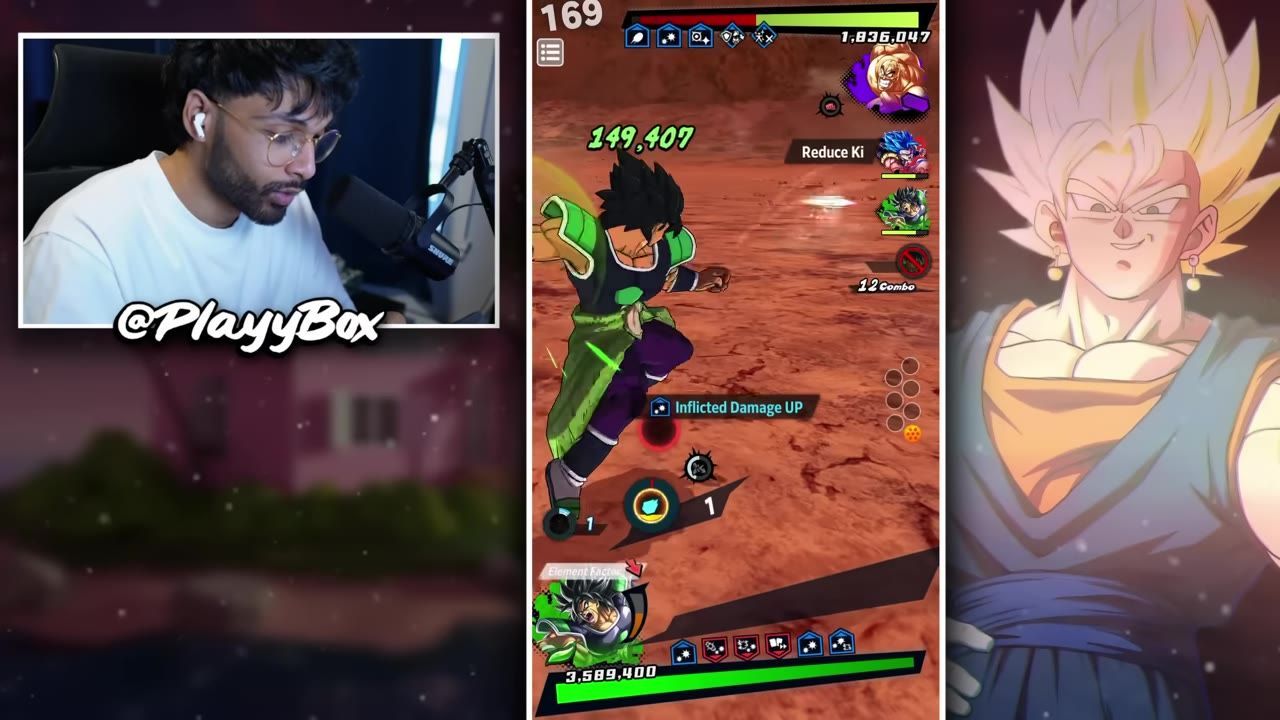
Charge stepping and side stepping allow you to extend combos, recover key, and regain vanish. After a strike, a quick swipe and brief charge keeps the chain moving. After a blast, you can charge longer for even more key. Side stepping during the string adds ambiguity, making your next move harder to predict and helping recover vanish while applying pressure.

A mobile fighting game battle is shown with a midair combo and action cards visible at the bottom, framed by promotional character art on both sides. — WestKai
steps
- After a strike: swipe quickly, then briefly charge before the next card.
- After a blast: swipe and charge longer to regain more key.
- Side step during combos to recover vanish and create ambiguity.
- When chaining, adjust the length of the charge based on card type for optimal key recovery.
Drop Combo to Bait a Cover Change

A mobile fighting game battle is underway with combat UI and character art on both sides. — WestKai
Drop the combo when the opponent can cover change
- Add a small delay after a side step or charge to intentionally drop the combo, inviting a cover change.
- Use the drop when the opponent’s units lack cover null and are likely to swap into a strike or blast cover character.
- Wait for the side step animation to finish before pressing your next card, making the drop appear natural and harder to read.
Read Vanish, Perfect Vanish, and Blast Punishes
Beat Side-Step Players With the Jump Jump Rhythm
Mirror the opponent’s side step rhythm to catch them
- When facing a side-step-heavy opponent, immediately side step back after they do, instead of waiting passively.
- Queue a strike after matching their rhythm to catch them during their usual timing window.
- If they attack instead of side stepping again, adjust your timing and avoid auto-mirroring.
Use the Right Practice Spaces In-Game
If you want hands-on practice with combo drops or legend actions, use dedicated in-game practice modes rather than just live matches. The Trunks "learn path" event is recommended for legend actions. For drop combo practice, visit the summon featured drop banner and use the “try here” mode for 90 timer counts to freely repeat mechanics.
Also worth knowing
- Practice in training mode: Using the built-in training options is more effective for learning combo drops and legend actions than practicing only in real matches.
- Adapt to unit interactions: Some units can punish a careless long-range blast or drop, so do not repeat the same bait pattern against every team.
- Side-step rhythm response: If an opponent relies on side stepping, actively match their movement rhythm instead of waiting passively each time.
FAQ
how do you charge step and side step in Dragon Ball Legends?
After a strike card, swipe and briefly charge before your next card. After a blast card, swipe and charge longer. Side stepping during combos creates ambiguity and helps recover vanish.
what settings should I use for smoother PvP gameplay?
Max out graphics settings in the options menu and download all game data for faster load times. Use a high refresh device for optimal frame rate.
how do you drop combo to bait a cover change?
Add a delay after a side step or charge to intentionally drop the combo, waiting until the animation finishes before playing your next card so the opponent is tempted to swap into their cover change unit.
when should you use a perfect vanish or a blast punish?
Perfect vanish cannot be triggered from long range. If the opponent just side stepped, a quick blast or short animation attack can gain priority. Do not throw long-range blasts into units with strong strike armor.
what is the jump jump technique against side-step players?
After the opponent side steps, immediately side step yourself and queue a strike to catch them in the same timing window. If they attack, change your rhythm rather than auto-mirroring.
where can I practice combo drops and legend actions in-game?
Use the Trunks learn path for legend actions, or try the summon featured drop mode for drop combo practice with 90 timer counts allowed.
Sources
Screenshots on this page are frames from the videos below, used to illustrate the steps they describe. All rights remain with their creators.
- MASTER Charge Stepping, Combos & Movement in Dragon Ball Legends | PvP Guide — WestKai, April 7, 2026