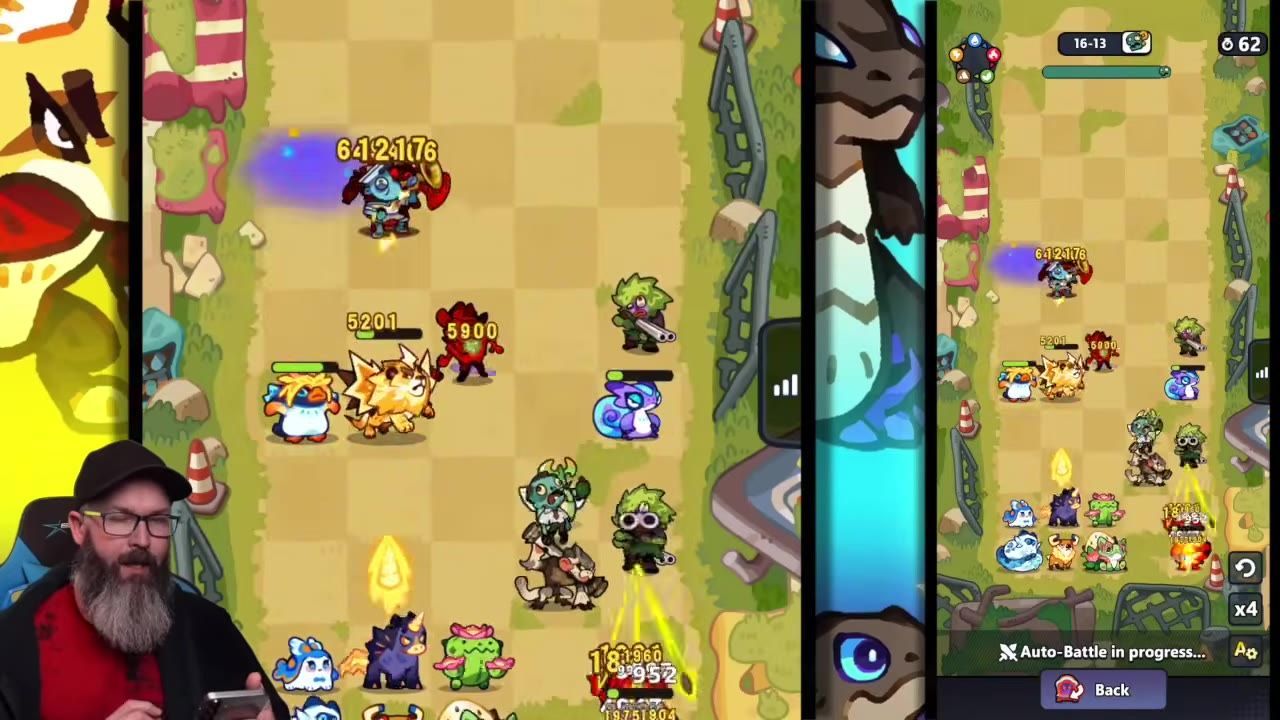
Gold Rush formations are more reliable when you place critters based on their range, hit box, and role, checking which ones actually contribute to your wins. Use battle history and replays to adjust placements. Save a defensive formation with tankier or annoying critters if your version of Gold Rush rewards defense; healing will not lower can loss.
Why Gold Rush formation matters

The Gold Rush formation board is open with critters arranged on the grid. — Artiar
Formation is important in Gold Rush because critters have different ranges and hit boxes, and their support effects influence streaks and can loss. Placing units solely based on star rating or rarity will not optimize your team. Consuming fewer cans depends more on minimizing the damage your formation takes than on healing afterward. Healing does not reduce the game's calculation of can loss—only defense, HP, and crowd control effects do. T4 auras are active in Gold Rush, but any healing from them is only useful for survival. Prioritize tankier units and high DPS where they matter most.
Front line positioning

A formation board shows the deployed units with the left side of the setup visible. — Artiar
steps
- Place Crab on the left side, where its larger right-side hit box can connect better.
- Position Lion near allies to apply its attack boost to as many surrounding critters as possible.
- Set Pyro Pup where its weaken effect can hit several opponents (preferably in the front or near enemy clusters).
- Avoid using Rockzilla in the middle if it is not providing a broad team effect.
- Move short-range attackers like Monkey and Pony closer to the front so their attack patterns reach more targets.
Using Wave Flutter correctly

A battle formation is shown with Wave Flutter and nearby allies visible in the middle lane. — Artiar
steps
- Provide Wave Flutter a clear path forward so it can participate actively in fights.
- Pair Wave Flutter with strong AoE units—Ice Cat is recommended, as its projectiles hit multiple lines, while Tideion can be too slow.
- Ensure Wave Flutter is positioned so it can follow at least one or two critters; do not let it get stuck with no angle to move.
- Use replays to check whether Wave Flutter is actually moving with the team and applying sleep to useful targets.
How to read battle history and replays

A report history list is open with multiple battle entries and magnifying glass icons for each report. — Artiar
steps
- Open your reports screen and click the magnifying glass to access battle history.
- Identify which critters in your lineup did the most damage.
- Watch actual battle replays by selecting the view video option, not just the result.
- Observe critter movement: see if units are drifting into the positions you intended.
- Adjust formation if you notice a unit consistently unable to move or contribute from its slot.
Defensive formation setup

A formation setup screen is open with the battlefield on the left and the lineup editor on the right. — Artiar
steps
- Consider whether defensive formation matters in your Gold Rush version: it is more relevant with fewer people per team.
- In Duneside-style Gold Rush, defense matters less because players mainly attack tiles, not specific defenses.
- To save a defensive formation, enter formation from attack, set your desired lineup, and commit it by starting a battle or rally.
- Begin an attack (with minimal energy or resource use if desired) to lock your formation for defense.
- Choose tankier and healing critters to frustrate attackers—these do not decrease can loss but make survival more likely.
Choosing units for newer players

A tier list of units fills the right side while a deployed lineup and quick deploy controls appear on the left. — Artiar
Choosing units for newer players
- If you do not have many T3s or T4s, T2 units can be a stronger fit; they are easier to obtain and some remain competitive.
- Common critters like Newsbo can outperform rarer T3 front liners if their defense, HP, and attack match your formation needs.
- Do not always upgrade to a higher tier: some critters gain much more at T4 than others, so a unit that looks weak early may become a late bloomer.
- Balance your team by defense, HP, and damage, not just rarity or star level. Example: Fire Cat is surprisingly strong at T2, but weaker at T3, due to multipliers changing with evolution.
Also worth knowing
- Creator codes: These expire every 7 days without in-game reminders and must be rebound manually.
- Crab left-side placement: Crab's larger right-side hit box performs better when placed on the left.
- Flameow placement: Flameow’s T2 behavior is reported to have changed after a patch; older guides may not apply.
- Newer player advice: Formation tips focused on T3/T4 units may not be as helpful for players with only a few mid-tier critters.
- Replay visibility: Mode details like battle recaps, can calculations, or defensive behavior are clearer when using the replay system.
FAQ
How do I build a Gold Rush formation for more consistent wins in Clash of Critters?
Place units by range and role, then use battle history and replays to check whether they are actually contributing.
Which critters should go on the left side, front line, or back line in Gold Rush?
Crab wants the left side, short-range units belong closer to the front, and Wave Flutter needs allies that can move with it and spread sleep value.
Does healing reduce can loss in Gold Rush?
No. Healing keeps a critter alive but does not lower the can loss calculated from total damage taken.
Do T4 auras work in Gold Rush?
Yes. Their healing and aura effects are active, but healing does not lower can loss.
How do I save a defensive formation in Gold Rush?
Set the formation through attack, then start a battle or rally to commit it.
Which critters are better for newer players in Gold Rush if they do not have many T3s or T4s?
Lower-investment T2s can be better early, and some common or accessible critters remain strong until your roster has more high-tier units.
Sources
Screenshots on this page are frames from the videos below, used to illustrate the steps they describe. All rights remain with their creators.
- GoldRush Meta Tier List – Best Formations Right Now ft.Paturns | Clash Of Critters — Artiar, May 19, 2026